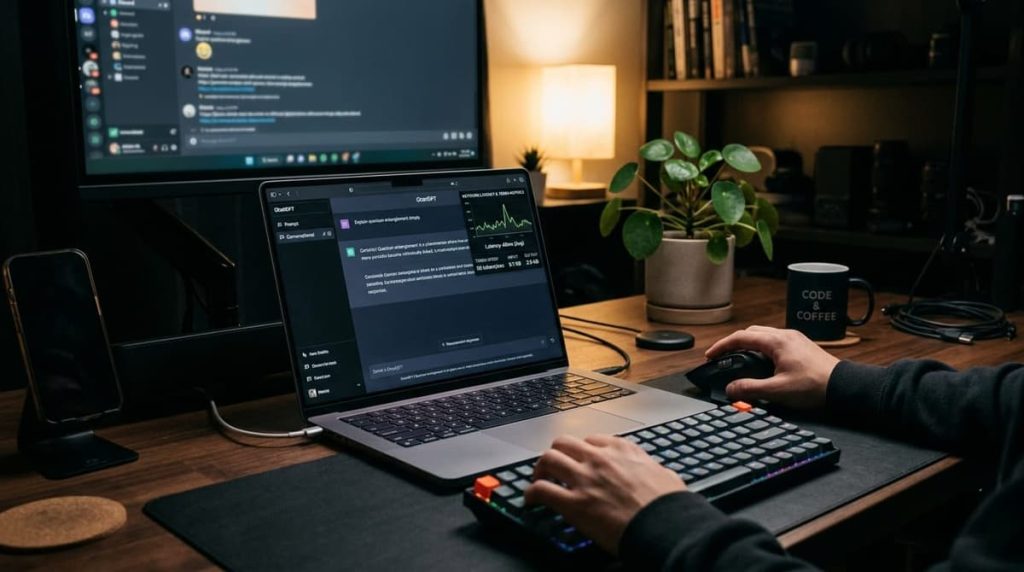
AI is a significant application in daily life, assisting humans in content creation, problem-solving, learning new skills, and performing professional tasks. One of the most popular AI assistants, ChatGPT, provides a variety of tools to create images, write, research, and even code.
The free version has several helpful features, but the paid version unlocks more advanced models and tools. Knowing the features of ChatGPT Plus will help you determine if you should upgrade your use of it for personal, school, or work purposes.
ChatGPT Plus is engineered for those who seek more adaptability with AI. It can assist content creators, students, developers, researchers, and business professionals who have complex or time-intensive tasks that they regularly perform using ChatGPT.
What Is ChatGPT Plus?
ChatGPT Plus is a paid subscription plan that provides enhanced access to ChatGPT’s models and features. It provides more usage than the free plan, advanced reasoning capabilities, and more tools for writing, research, and creative work.
OpenAI states that the typical U.S. subscription rate is $20 a month. The price, tax, and payment details may differ from country to country and from vendor to vendor.
For those who use ChatGPT regularly, the subscription is especially beneficial because it offers greater capacity than the free version. Not all tools are unlimited, and there may be limitations on the use of individual models or features.
What Are the Main ChatGPT Plus Features?
Chatgpt plus features several features that can help make daily tasks easier. Product availability and usage may vary based on OpenAI’s updates.
1. Access to Advanced AI Models
The main benefit is greater access to cutting-edge AI models. Depending on the model lineup and availability, subscribers can write, code, analyze, and solve more complex problems with more capable models.
These can be used to assist in understanding complicated concepts, structuring information, comparing different options, and solving multi-step questions.
A student could use ChatGPT to help them comprehend a difficult concept, for instance, or a professional could use it to structure a report or analyze a complex business issue.
2. Higher Message Limits
Users of free versions may find that certain models or tools have usage restrictions. Overall, chatgpt plus features fewer limitations, enabling subscribers to work longer.
Useful for those who write several articles, conduct research, write software, or perform several tasks during the day.
Some restrictions are still in place and may differ depending on the model, tool, and the conditions that exist at the time of the service.
3. Faster and More Reliable Access
During peak hours, ChatGPT Plus can have shorter response times and may be more beneficial. This may make a difference when many people are using the service simultaneously.
The overall experience may be more convenient for professionals with tight deadlines if they don’t have to deal with as many interruptions as usual. Real-life response time will vary based on network conditions, model selection, and system demand.
4. Image Generation
With expanded access on Plus, you’ll also have the option to generate images. Users can enter a description in plain text and ask ChatGPT to generate an image according to their requirements.
It is very useful for blog illustrations, social media graphics, creative ideas, educational graphics, and design inspiration.
For instance, a content creator may ask for a visual idea for an article about technology, or discuss various graphic styles for a promotional graphic. Limits to image generation apply, and generated images may need editing before professional use.
5. File Uploads and Data Analysis
ChatGPT Plus introduces new features like advanced file upload and data analysis capabilities. Users can upload documents, spreadsheets, and other files for assistance, depending on the type of file and the limits.
These applications range from summarizing reports to finding patterns in data, to explaining spreadsheet calculations, and pulling out the important points from lengthy documents.
These features can be used by businesses to arrange information and by students to look through study materials. Users should be aware of relevant privacy settings and consent to sharing of information before uploading it.
6. Voice Conversations
Voice capabilities let users control ChatGPT through speech, instead of typing. This may be useful for multitasking, learning a language, brainstorming and asking questions away from a keyboard.
Available voice features could enable more conversational interactions and other audio or visual features.
Limits may apply; please be sure to check the features available at your subscription.
7. Deep Research
Deep Research is a task that helps to explore topics that need information from several sources. It may help to collect information, compare evidence, and form structured research summaries, depending on access and limits at that time.
This can be helpful when you’re looking to do market research, competitor analysis, academic research, and in-depth content planning.
Research outputs should, however, be thoroughly checked. Facts, quotes, dates, and conclusions should be checked against the original sources.
8. Projects and Custom GPTs
Projects enable users to group related conversations and supporting files into a specific project and goal. Can be helpful for continuous writing assignments, research, and business planning.
Another option for customizing ChatGPT for particular uses is through custom GPTs. Users can design or utilize particular assistants relying on the tools and permissions readily available.
For instance, a content creator could organize research and article planning in a project and have a specialized assistant to ensure that the writing style is consistent.
9. Memory and Personalization
If allowed, memory can be used to retain pertinent preferences and information from one conversation to the next. This could help to decrease repetition of instructions and increase consistency of responses to a user’s working style.
Users can review available memory and data controls in their settings. The behavior of memory should be taken care of, as it is dependent on the features enabled, and sensitive information should be treated with care.
What Is the Price of ChatGPT Plus?
ChatGPT Plus costs a standard $20 per month, paid on a monthly basis. Price, tax, exchange rates, and/or app store billing may vary in other countries.
Check the official ChatGPT upgrade page for the price before subscribing.
ChatGPT Plus is a subscription to the ChatGPT app. API is not included in the subscription, but you pay for it separately.
Is ChatGPT Plus Better Than the Free Plan?
It really depends on the frequency of use of ChatGPT.
For some situations, it may be enough to use the free plan in order to answer certain questions, write some basics, and get help when needed. Plus is better suited for users who frequently require access to increased usage limits, advanced reasoning, image generation, file analysis, or research tools.
If you aren’t using ChatGPT very often, you might only need the free version. For users who are limited by the free version, or rely heavily on AI for their work, the paid version might be more cost-effective.
Who Should Consider ChatGPT Plus?
ChatGPT Plus could benefit a few different categories of users.
- Content writers: Write articles, make them more readable, and organise ideas for content.
- Students: Investigate ideas, produce study notes and study documents.
- Developers: To understand code, identify errors and investigate programming solutions.
- Researchers: Organize findings and investigate complicated questions.
- Business professionals: Make reports, examine information, think creatively about solutions.
- Creative users: Create images, think creatively, and create new ideas.
However, it is not a must for all. The value is determined by how much additional time or workflow it saves and saves you each month that you use it.
How Can You Subscribe to ChatGPT Plus?
It’s easy to get started:
- Go to the official ChatGPT website or the app that has been supported.
- Log in to your account.
- Access your profile or account options.
- Choose the upgrade choice of ChatGPT Plus.
- Check the advertised price, features, and terms of the bill.
- If you choose to subscribe, please complete the purchase.
Once upgraded, review your account to ensure that the subscription is active and familiarize yourself with the current models and tools you have access to.
Conclusion
ChatGPT Plus offers access to advanced AI models, increased usage quotas, image creation, file analysis, voice interactions, research capabilities, and more productivity tools. The features can enrich the utility of the service to those who rely on AI for their daily tasks, education, and creative endeavors.
Once you familiarize yourself with the features of ChatGPT Plus, you will be better equipped to determine if it will meet your needs. While there are significant benefits to the paid option, there are also limits on its usage, and AI-generated content should be verified for accuracy.
If you’re only a light user, the free option might be enough. ChatGPT Plus might offer a more flexible and productive experience for individuals who frequently engage in challenging tasks. The most effective way to check the current price and features offered is to check the official pricing page before subscribing.
Frequently Asked Questions
What Are the Main ChatGPT Plus Features?
The primary advantages come in the form of increased access to advanced AI models, access to higher usage limits, image generation, file uploads & analysis, voice conversations, Deep Research, projects, and custom GPTs. Availability: Depending on the feature and account.
How Much Does ChatGPT Plus Cost?
US Standard subscription: $20/month. The price and tax are subject to local rates and taxes and will vary depending on the upgrade, so please consult the price shown when upgrading.
Is ChatGPT Plus Worth Buying?
For individuals who rely on ChatGPT frequently and require more functionality or sophisticated features, it could be a value for their needs. The free plan might be enough for occasional users.
Does ChatGPT Plus Offer Unlimited Messages?
NO, there are higher usage limits, but limits may apply to specific models and tools.
Can ChatGPT Plus Generate Images?
Yes. There is also new support for image generation, which is subject to the current usage restrictions and features.